Automated Playwright regression tests
Every bug report in Rebase already carries the exact steps that led to it. Now you can turn those steps into a Playwright test without writing it yourself.
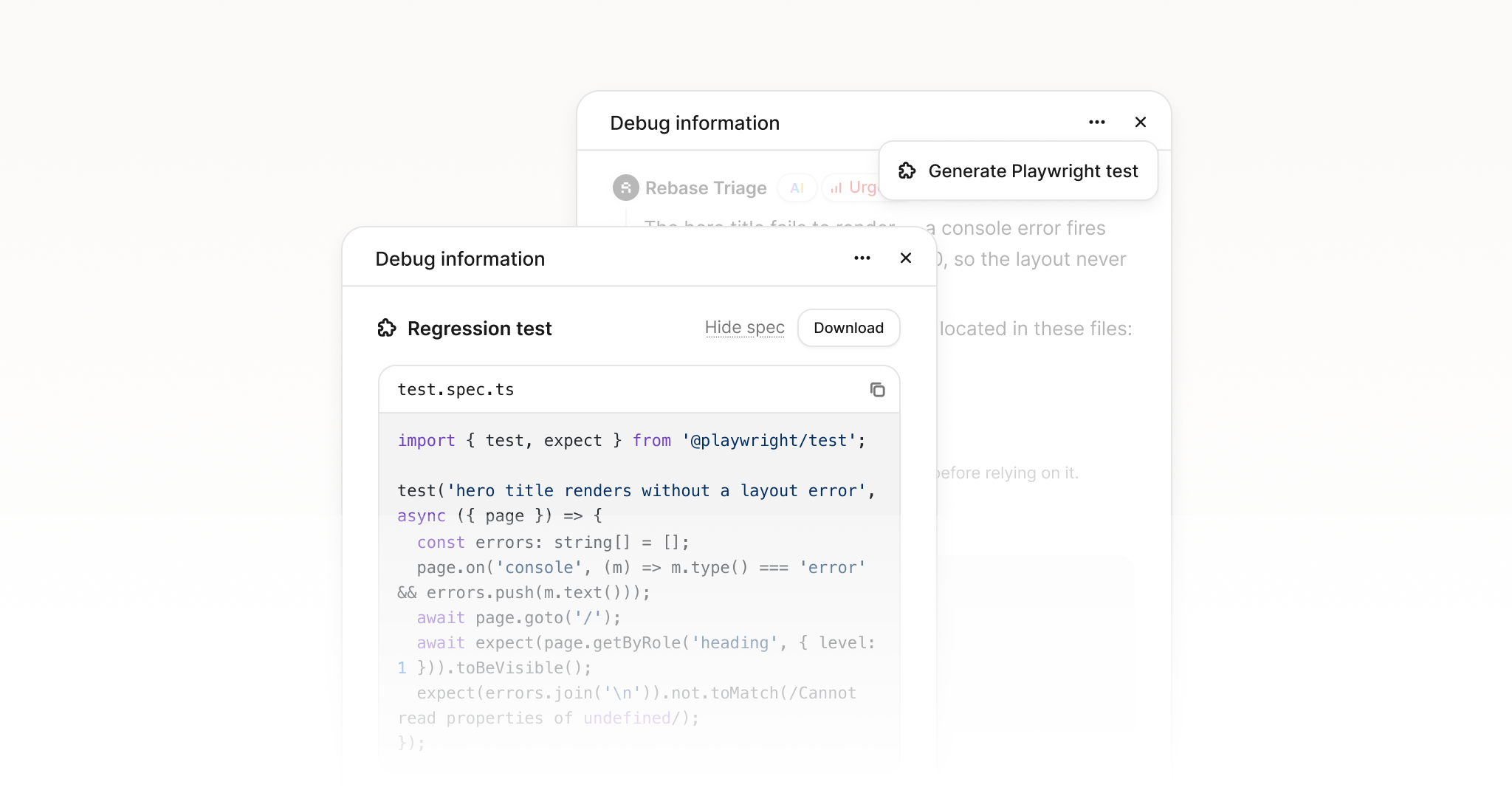
#One click, in the debug panel
Open any report, click the actions menu at the top of the debug panel, and choose Generate Playwright test. Rebase reads the captured session, the clicks, the typing, the page it happened on, and the element the reporter pinned, then writes a spec that walks the same path.
The test asserts on what actually went wrong, so it fails while the bug is there and passes once the fix lands. Copy it straight into your suite or download it as a file.
#Built from the real session, not a guess
The steps come from the capture itself, so the test targets the element that was reported, not a selector someone had to go and find. If the page uses test ids, the test uses those too.
#Review before you commit it
The spec is written by AI from the captured session. It gets you most of the way there, but read it before it goes into your suite. Treat it as a strong first draft rather than finished work.
#Fewer duplicate reports
The same release also spots when a new report looks like one you already have. Reporters see it at the moment they submit, and your team can open any report to see the others that were folded into it.